
Product Features:
·5.6-inch blue graphic LCD display screen
·Supports 16 power distribution outputs
·ABS button: sensitive button, good dustproof effect, long service life
·Supports multiple signal inputs: more than 30 signal inputs, can support 16 sets of distribution outputs, 12 relay outputs
·EMC4000V, strong anti-interference ability
Non standard support:
·Support customization of digital and switch inputs
·Support OEM customization of surface stickers and startup interfaces
·Support customized communication protocols and non-standard analog/switch signal outputs
·Supports 12V/24V power supply
Installation method:
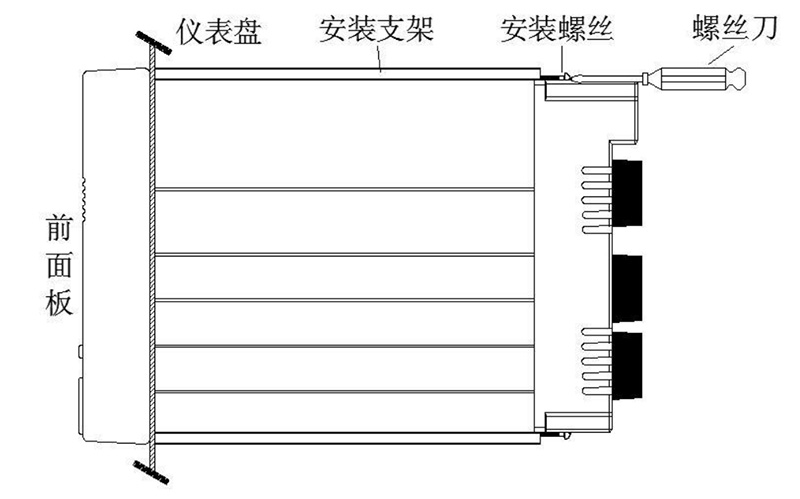
Installation method:
·Step 1: Gently push the instrument into the installation hole from the front of the installation panel (please use a steel plate), so that it is tightly attached to the instrument panel. The thickness of the installation panel is (2.0~8.0) mm.
·Step 2: Use the mounting bracket provided with the instrument panel as shown in the above figure and tighten the long screws on the two mounting brackets with a suitable screwdriver for installation (one bracket is installed on each side of the instrument panel, and the screws used for the instrument panel mounting bracket are M4 standard screws).
·Step 3: After installing the instrument panel, you can connect the signal and power lines.